


I've had a GREAT experience with Brydge!!! I had read a couple of negative reviews but decided to 'take a chance' because the product looked exactly like what I was looking for. When my Max 11 arrived, there were issues with it...I quickly emailed customer service and had a reply within a couple of hours. They were professional and patient as we worked through some troubleshooting. We realized the product was defective (hey, it happens with the best of companies). They quickly emailed me with instructions to return the product for a replacement. The process was simple, with no questions asked. I received my new Max 11 and AM IN LOVE WITH IT! Love the weight, the feel of the keyboard, how easy it was to pair, the magnet holds my iPad TIGHT. I'd recommend this product to anyone!!
-
 Multi-touch Glass Trackpad
 -
 MAX View Hinge
 -

-

-

-
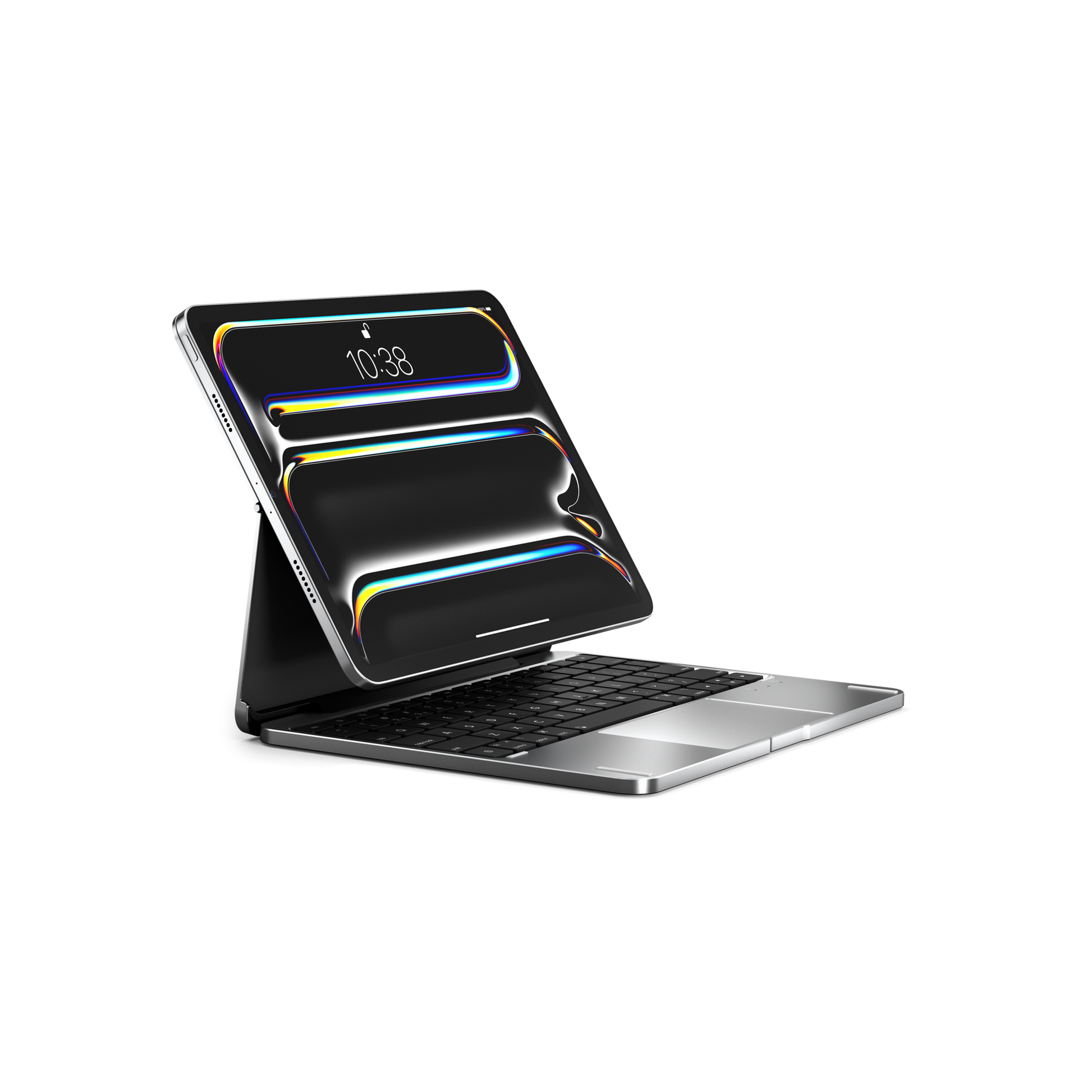
Brydge MAX 11.0 - Aluminum Keyboard for iPad Air & Pro 11"
Brydge MAX 11.0 - Aluminum Keyboard for iPad Air & Pro 11"
In-stock
Couldn't load pickup availability

Free Shipping
US & Cad $150
Intl $400
Free Shipping
US & Cad $150 / Intl $400

30-day returns

1-year warranty
Not sure which iPad?
Why Brydge MAX 11.0 - Aluminum Keyboard for iPad Air & Pro 11"

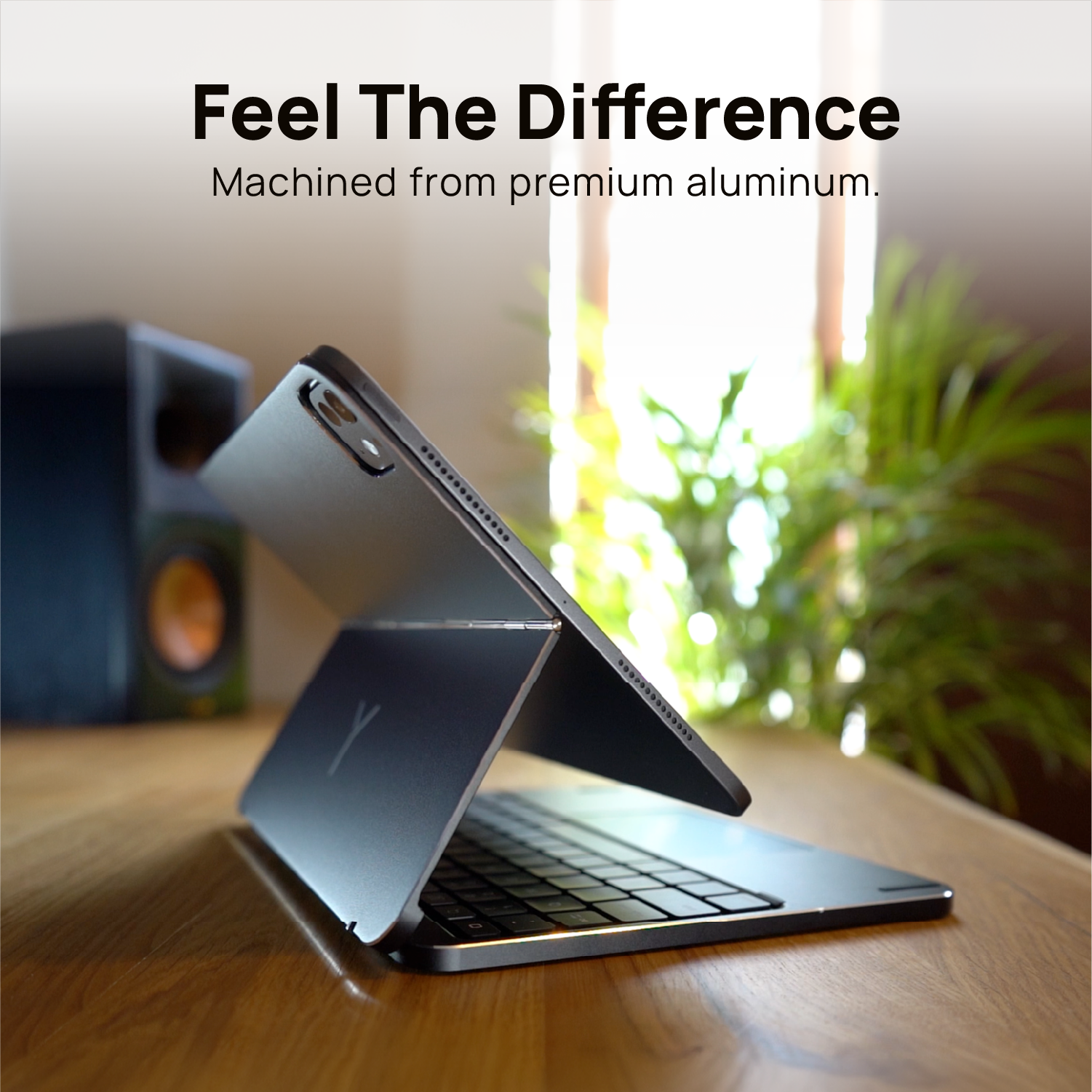
All-Aluminum Keyboard Case

MAX View Hinge

Multi-Touch Glass Trackpad

Adjustable Backlit Keys


Compatible with:
How to Find Your Model:
Customer Reviews
Overall rating: 4.3 / 5 from 25 reviews.
I am not sure but believe this is my third Brydge keyboard. I have tried others but non can compare. So many comment that thi makes my tablet look and act like a laptop. Several of my colleagues have purchased these and just love them. The keys have a solid feel, the back lighting is just right and love the trackpad. I have had USB-C port issues on my tablet and just wish the tablet lasted as long as the key board. In the past I have had a couple of warranty issues and these were immediately resolved. The only complaint is that the rubber feet tend to fall off over time. So glad they now ship with a second set. When replacing be sure to use a very strong glue (gorilla or super glue)
Wellmade but heavy
Brydge MAX 11.0 Keyboard - iPad Air 11" (4th–6th Gen) & Pro 11"
Super 💪
Brydge MAX 11.0 Keyboard - iPad Air 11" (4th–6th Gen) & Pro 11"
very nice, high quality keyboard. Exactly what you'd expect from the photos. It's a bit on the heavy side, not surprising given the all metal construction. The only other nit I have is the key travel is a bit more than I'm used to with my MacBook Pro keyboard. Absolutely nothing wrong with the keyboard, simply different from what I'm used to.
Brydge MAX 11.0 Keyboard - iPad Air 11" (4th–6th Gen) & Pro 11"
Great product! I love the flexibility of screen!
Brydge MAX 11.0 Keyboard - iPad Air 11" (4th–6th Gen) & Pro 11"
I am satisfied with the experience of using this keyboard. It works perfectly, the keys are great, and the multiple stages of viewing is extremely useful. However disabling trackpad while typing is not something I would find useful. And also charging Apple Pencil Pro while using this keyboard is not really comfortable.
Brydge MAX 11.0 Keyboard - iPad Air 11" (4th–6th Gen) & Pro 11"
I had ordered the wrong one , reached out to the company, and received wonderful help. They provided great assistance ,resulting in this amazing device. What’s not to love about Brydge keyboards. This is my second one. The only reason for #2 is an I Pad upgrade.
Brydge MAX 11.0 Keyboard - iPad Air 11" (4th–6th Gen) & Pro 11"
It's great. Fits exactly as it should, feels really well made, and lets the iPad function almost exactly like a laptop. Substantial as a base, good battery life, and great track pad.
Brydge MAX 11.0 Keyboard - iPad Air 11" (4th–6th Gen) & Pro 11"
This is my second Brydge keyboard- I'ts working great just like the forst one- and must say I appreciate the magnetic attachment.
Brydge MAX 11.0 Keyboard - iPad Air 11" (4th–6th Gen) & Pro 11"
Easy to use and set up!
Brydge MAX 11.0 Keyboard - iPad Air 11" (4th–6th Gen) & Pro 11"
This version is my 3rd Bridge. This one is more solid and flexible. I especially like the screen tilt ability.
Brydge MAX 11.0 Keyboard - iPad Air 11" (4th–6th Gen) & Pro 11"
This is a very well made keyboard very sturdy, it is a tank. My only complaint is that being a tank it is quite heavy.
Brydge MAX 11.0 Keyboard - iPad Air 11" (4th–6th Gen) & Pro 11"
I have had 2 previous Brydge keyboards, a Pro Dock for my MacBook Air, and now this keyboard. All their products have been excellent. I am extremely happy they returned to a much better aluminum for the recent Max 11.00 for iPad Air. I did not like the composite design for the previous Air I owned.
Brydge MAX 11.0 for iPad Air & Pro 11" (1st–4th Gen)

Great experience... my Ipad now works like a MacBook at a fraction of the cost and well protected. Perfect travel companion as well as when used on a daily basis.
Brydge MAX 11.0 for iPad Air & Pro 11" (1st–4th Gen)

Beautifully packaged and exceptionally well-made. The flexible hinge offers incredible versatility, making it easy to find the perfect viewing angle for any situation. Premium quality throughout, and it transforms my iPad into something that truly feels like a MacBook.
Brydge MAX 11.0 for iPad Air & Pro 11" (1st–4th Gen)
As a MacBook user, my iPad wasn’t the most convenient to use when studying. Ive purchased a couple keyboards and they have been flimsy or just not my style. I have tried the amazon rotating keyboard ,although aesthetically pleasing, keys were not vey good quality neither the trackpad. However, the brydge max 11.0 has been amazing, the quality and feel makes it worth the money, the trackpad is amazing, all keys are functioning with back lights just like a MacBook. It’s heavy and sturdy amazing for everyday use. I don’t really use the hinge to open the iPad but sometimes if I’m laying back ill pull the iPad screen forward, everything there seems to be perfect there’s no issues. The only negative has been when opening the iPad sometimes, not very often anymore, the mouse doesn’t appear so I just turn it off and on. Also it would be great if there was another colour like gold or rose gold nonetheless the silver is nice.
lovely keyboard and decent trackpad. Every so often the cursor jumps so it's not perfect (it is bluetooth after all), but I love all the configurations of the keyboard.
Perfect! The only point would be, a smaller on/off button. The previous version (on/off button) was less sticking out
Brydge MAX 11.0 for iPad Air & Pro 11" (1st–4th Gen)
Very sturdy, works well, bluetooh connection battery life is good. Slightly on the heavier side but well made, robust
Very heavy. Still getting used to it.
Trackpad is nice with glass surface trackpad. Keyboard is little hard to type than the macbook but it is very good than those of others available in the market. My only issue is with the cost. The cost of the product is itself justifiable but while ordering it from country like canada, it cost me around same as that of apple magic keyboard. I meant locally paid tax and not knowing the amount upfront is not good. I paid around 120+ and extra 30+ for shipping. Other than that product itself is very nice and i am using it daily with my Ipad air M3.
Brydge MAX 11.0 Keyboard - iPad Air 11" (4th–6th Gen) & Pro 11"

Buying from Brydge, direct to the UK is not without extra costs. Maybe my fault but the extra £50 makes it expensive. I had a previous model that the hinge broke but not sure if the Trump tariff situation has made it worse. Will wait and buy from Amazon or get an Apple keyboard next time. Shame as I bought these for engineers in my company too. Unpacked and the magnetic connector is so bent/curved the iPad does not sit flush. Nice idea but feel quality should be better. I also thought it was USA made but see it’s made in China so why can’t Brydge ship direct to the UK rather than me paying import charges and high shipping.
Brydge MAX 11.0 Keyboard - iPad Air 11" (4th–6th Gen) & Pro 11"

The magnetism is very very weak. my ipad Air 11" (M4) wifi + cellular could not even stay in place. Closing up means the ipad is slipping out between the covers. There is something seriously wrong with this. Kindly provide me a refund or a replacement
Brydge MAX 11.0 - Aluminum Keyboard for iPad Air & Pro 11"
Battery doesn’t last a long as previous models, it only last approximately 8 days
Brydge MAX 11.0 Keyboard - iPad Air 11" (4th–6th Gen) & Pro 11"

Key features


MAX View Hinge - one hinge, every angle

Set it and forget it

Movie mode - Locked in

Opens flat like an easel


But wait, there’s more
Trackpad on/off
Available in multiple colors
Multimedia shortcuts


